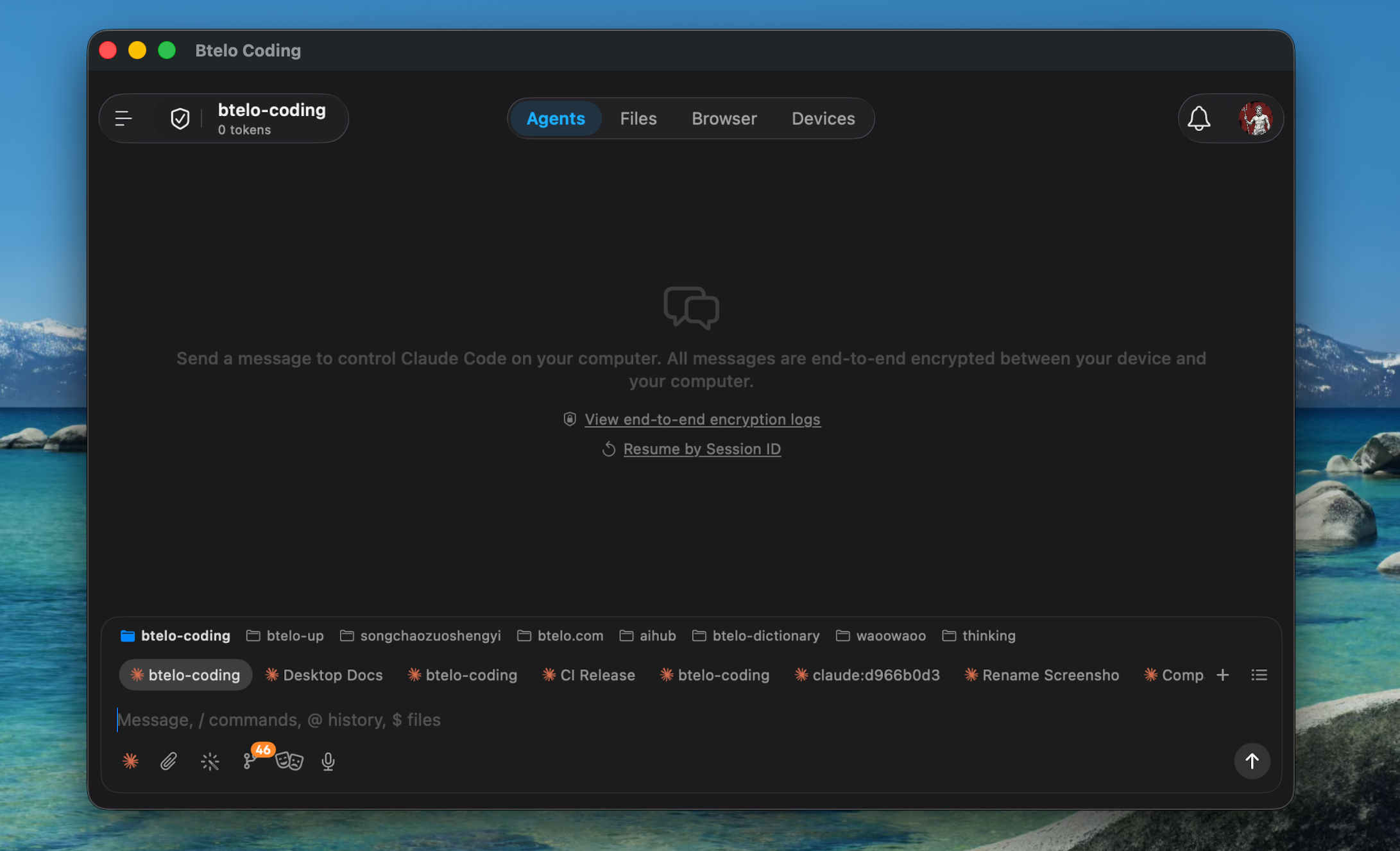
The Mac app — same binary as iOS, in a resizable window.
Btelo Coding is an iOS app — and on Apple Silicon Mac, App Store lets you install it directly. You get the same sessions, the same chat, the same controls, but on a full-size screen with a real keyboard.
Files, chat, sessions, providers, connectors — nearly every iOS feature works the same on Mac.
Real keyboard shortcuts, trackpad scroll, resizable windows — built for typing, not tapping.
Chat and session state stream through the relay in real time. Switch devices mid-conversation.
The Mac app — same binary as iOS, in a resizable window.
Browse files, chat, drive sessions, switch providers, manage connectors — almost every iOS feature is here, running in a desktop window instead of a phone.
Real keyboard shortcuts, trackpad scroll, free window resizing. The app responds to desktop conventions instead of asking you to tap-and-swipe everything.
Type on Mac, see it stream in on iPhone instantly — and the other way around. Chat and sessions ride the relay in real time, so you can switch devices mid-conversation.
Drive any agent the relay can reach — your home computer, a VPS, a teammate's box. Different networks, different cities, even on the move — the Mac app controls them all.
Versus running Claude or Codex straight in a terminal: every chat message stays in sync between Mac and iPhone, and you can manage multiple working directories and multiple sessions across separate windows side by side.
Intel Macs cannot install iOS apps from App Store. Use the CLI agent instead.
Launch App Store from Dock or Launchpad. You must be signed in with an Apple ID.
In the results page, switch to the "iPhone & iPad Apps" tab at the top. That is where iOS apps live on Mac.
Same flow as any Mac app. It will live in your Applications folder and Launchpad.
On the computer running btelo-coding CLI, press r to refresh the QR code, then press y to copy the QR URL to your clipboard. In the Mac app's Connect page, paste the URL — that's it.
Install the iOS app on your Mac and sign in with an existing connector.
Open App StoreWe've upgraded our plans, and your existing subscription will continue to unlock even more features on our new home. Everything you love is still here — just in a better place.